my thoughts as i learn
it's kind of crazy how much my uni classes have helped me so much with my progress in JS. and it's all thanks to C++. thank you C++! i think C++ is pretty cool but this isn't about her, this is about JS. i think my overall use / knowledge of JS has increased quite a bit but i still need some tips and stuff on how to structure my JS code better. i think right now one of my biggest milestones have been getting a better understanding of how the eventListeners work. i mostly used them on a page i made for me and my gf's 4th anniversary (which if i ever upload, it will be as a template or something) and another page where you have to make 2 fish kiss. i wanted to make these pages as interactive as possible while also having to make them simple because of FINALS and uni projects i haven't finished.
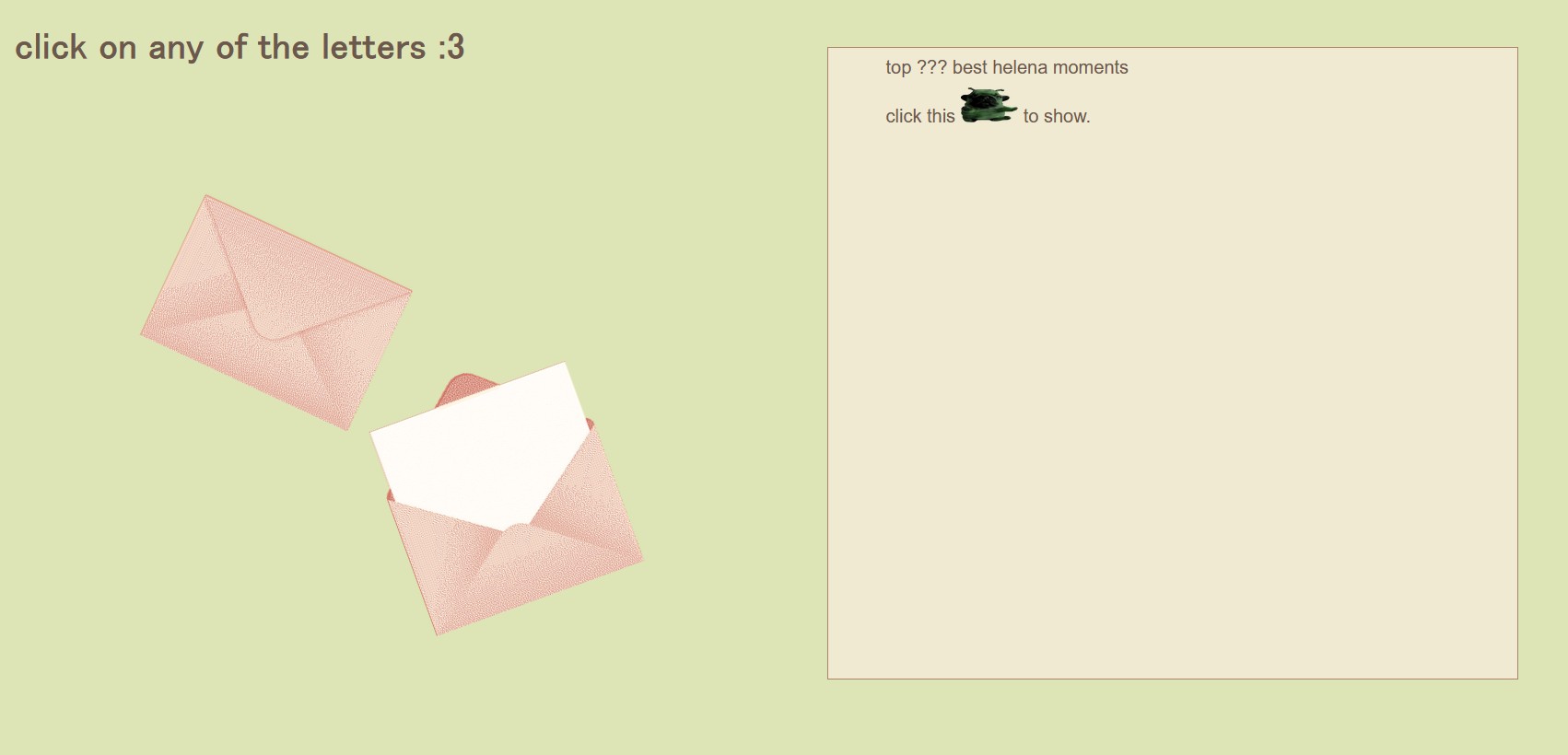
i wanted something like having a bunch of letters scattered across the page and have my gf open them. when you click an envelope a little sound effect will appear which i know will make her smile. originally i wanted it to be a bunch of letters and while trying to figure it how i could get the different sound effects on different envelopes i was thinking to myself damn if only i could do nth-of-type on JS...
AND THEN IT FUCKING HIT ME.
at the moment my current computer science related classes that i'm taking this semester are discrete math and data structures. i love you data structures but this isn't about you either. everything is about discrete math. you see... during discrete math when we started talking about the algorithm of division, i was often seen this syntax: n = DQ + R, n being some number, D being the divisor, Q being the quotient, and R being the remainder after dividing. when i got to this part of the class i started noticing that THAT syntax was pretty similar to the one i use in CSS for :nth-of-type. for example. if i have a bunch of HTML elements and i wanted to make every 2 elements different colors, then i'd do so with element:nth-of-type(2n + 0) and element:nth-of-type(2n + 1) and at the time i didn't really get how it works but i just knew that it worked. fast-forward a little bit and now we are talking about the remainder of when you do a division, called the modulo operation aka this thing % in various programming languages. and by this point it was when it clicked. when you divide something by 2 (as i did in my example), for every number it will only have two options for the remainder (aka mod). N (N being any number) % 2 will only output either 0 or 1, it will only output N % 30 this will only be able to output 30 different numbers! from 0 all the way to 29. and that's when this realization hit me.
what element:nth-of-type(An + B) does is that is taking the amount of elements and doing a mod operation on them so each element can have a repeating pattern, the number of times that the pattern will repeat is being decided by A, if A = 4, then you can have up to four different B's so the pattern can follow. because it can ONLY have 2 options! BECAUSE OF THE ALGORITHM OF DIVISION. I LOVE LIFE. this meant that it was taking the amount of elements (n) and doing a modulus operation on them with whatever A you had to determine the pattern, in other words: n % A = B.
SO back to my original problem: i have an array of sound effects that i wanted to use on my array of envelopes, so different sounds would play whenever you clicked on a different envelope. by thinking about nth-of-type, i was able to conclude that all i needed to to was calculate the current envelope element i was clicking and do a mod operation with the amount of sound effects i had on the array. i made a function for this so the math ended up looking like this: playSFX(envelope_index % sfx.length). this would get me either 0 or 1, which are the indexes i need to access each of the elements in the array sfx.
damn discrete math is kinda fucking cool.
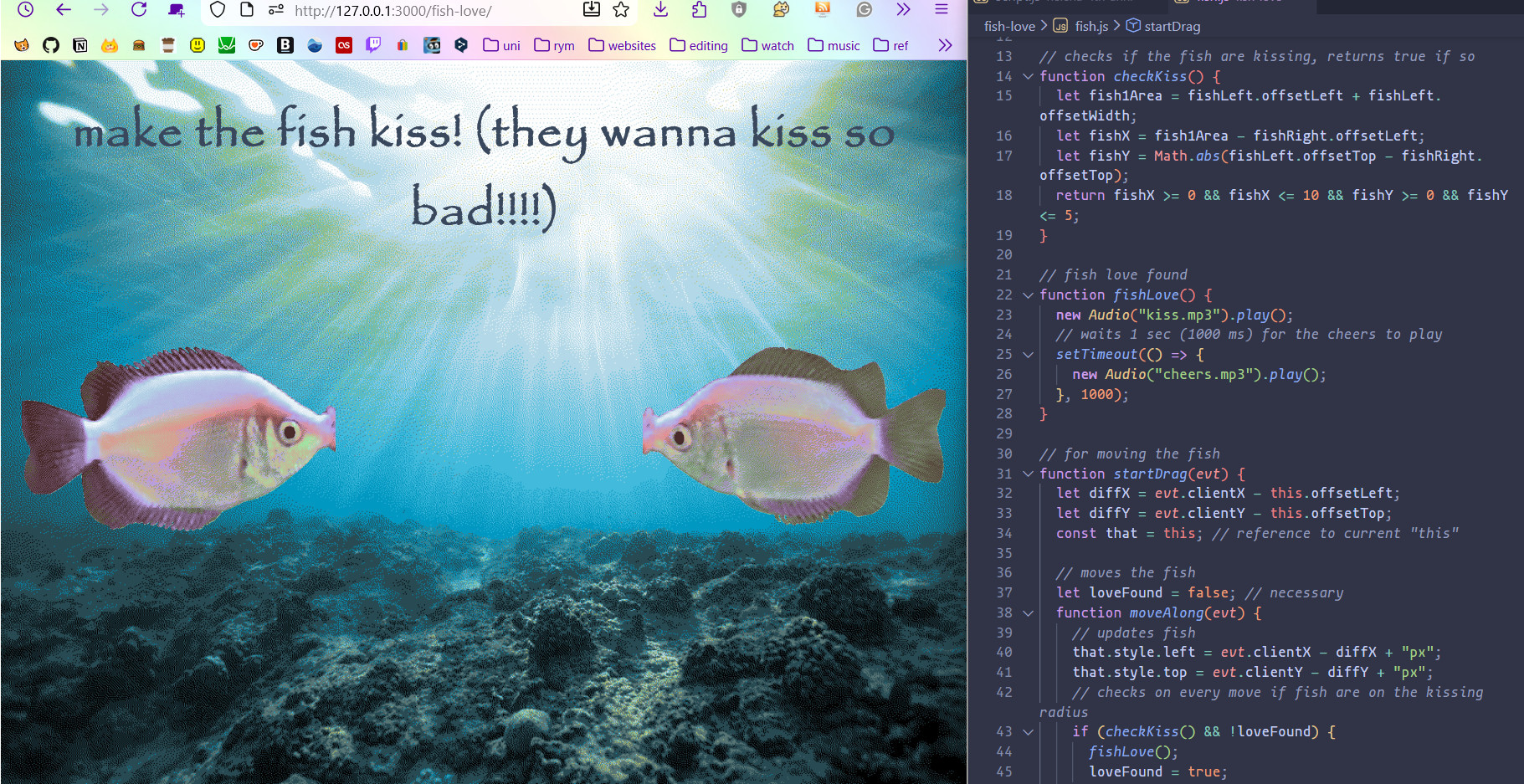
then the next page titled fish love is exactly about that. trying to make 2 fish kiss... using extensive use of eventListeners for the drag and drop. the base code for the draggable elements is from stackoverflow! and i did a lot of minor tweaks for it to work for what i needed it to. i think it was pretty cool that once i got the fish moving my next step was okay and now how do we know they are kissing?
basic math baby! or at least i'm pretty sure it is... either way i wasnt born for math so i still had to take out a paper and pen and start drawing the grid and the fish boxes so i could see what had to be done and it birthed this AWESOME function that checks if the fish are kissing.
because of this, i needed the absolute value of a number in order to determine if the fish were kissing by calculating their difference between their offsetTop so i also found out about the function that gives you the absolute value of a number: Math.abs(n). pretty cool!
for now have my ramblings, but at a later date i will upload this stuff here after i show my girlfriend :3
25.dec.25 UPDATE: the page has been up for a while now but fish love is now live on my site + i passed discrete math with a B 
07.dec.25
i never really talked about the mp3 player i made using a JS template so lets do that now!! making this little thing was so much fun. the template code was just for the music player with a tracking slider, and a volume one (wait i should implement the volume slider as buttons on the side... i'll add it to the to-do list) but that was pretty much it! i added the playlist and more properties to the song objects like the genre and year it was released. also added a few tiny stuff like some conditionals for the little bar at the bottom. overall really fun to work with!
07.dec.25
i find it kinda weird that the guide i am using for JS doesn't use console.log at all and instead uses alert() which i know it's doing the same thing bit idk i feel like the console telling me whatever it needs to tell me is WAYYYY more useful than seeing it pop up in a alert. BUT NONETHELESS i've been really digging this guide because i feel with other tutorials that i was using they weren't very focused on the user Really understand the fundamentals behind the programming language. but so far i've been having a nice time reading and doing the practice tasks by myself. it really takes me back to my intro to programming class, and i really like that it's kind of a refresher in that sense as well! win win. i'm currently in the objects section which is definitely where the unknown territories of JS (for me) are staring to popup. i think something very interesting i've learned about have been arrow functions. very neat!
ALSO this whole time i had been wondering if there was a way to get the console log on my VSC without having to live preview an HTML file that had the current script i'm working on. recently i found out about the extension called quokka.js and it literally changed my life for quick testing JS variables and such.
25.jul.25
so far i've managed to do a couple of things around my site, i introduced a dialog box when clicking the chatbox tab and it asks you to agree to the rules. i was originally going to do it with an alert() but then i later found out about confirm() which is PERFECT for what i wanted to do. also learned i can do a custom one using the dialog element so in the future i'll get to that :p code snippet
i've also found a way to iterate through the years using the javascript Date() constructor need to look up this term later... so i don't have to write the same piece of coding every year for my microblog! also cleaned up the code a bit so it's easier to use for me. you can see the changes for all of that here. it kind of gives me an idea for my journal page for the calendar iframe but... i'm not sure if i'll go with it at the end of the day. we will see!
been also writing more comments on my JS files. it really is nice when you go back to them and know wtf each thing does. thank you professor.
06.apr.25
my class introduction to programming (which focuses on c++) is kinda doing wonders for all the things that i've done with JS without really knowing WHY they worked the way they did... i'm also currently reading JavaScript All-in-One For Dummies which i had saved in a pdf from god knows where. i think my previous knowledge + my class is making the first few chapters of this kinda of a breeze but wow!!! i have learned so many little things about JS so far that i didn't know about. been mostly reading it on the train so i have a few notes of stuff i want to practice and write about on this page once i have some more free time. but at least for me, i think it is way easier to get all of this new information from a book rather then a documentation site (w3schools, mozilla, etc. etc.) it def makes the process of learning these things way less intimidating.
05.mar.25
learned how to remove classes and add them with an event like so:
still need to dig deeper into events because as i was coding this on VSC, i kept getting a warning saying that event was deprecated but then my question was... then how do i do this?
in my compsci class we've been talking about operators like and, or, and not which helped me out a bit when making my fashion page's javascript! in this case i used the or which is written like this || in JS for an if statement so that the mobile/responsive view of the page could be as neat as possible. honestly it was pretty fun to figure that out and get it working. i really need to look more into what event targets are though.
the javascript for my yukika passport is SOO messy but it does work! i am SURE there's probably a whole other way of doing this but i haven't quite gotten there yet.
figured out how to do a box pop up and a img modal of sorts! i put a class tag on all that imgs where if you click them then i take the src and alt text into the img modal. you can check it out on the scans page of my siinamota fansite. i also use a similar thing for the imgs on my microblog but with a different method.
also learning how to use this bit of code with the examples mentioned above i = 0; i < example.length; i++
hi this is inside a box!
this is a link. this is bolded. this is italics. this is highlighted
note: i am still wrapping my head around the difference between == and === when i used it for a toggle like this. but i'm starting to understand some stuff!!!
.gif)
i learned how to change things with a button